반응형
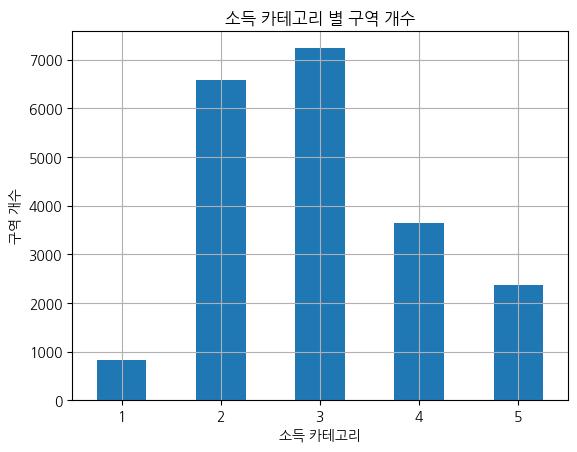
1. NanumGothic 체
from matplotlib import pyplot as plt
plt.rc('font', family='NanumGothic')
housing["income_cat"].value_counts().sort_index().plot.bar(rot=0,grid=True)
plt.title("소득 카테고리 별 구역 개수")
plt.xlabel("소득 카테고리")
plt.ylabel("구역 개수")
plt.show()
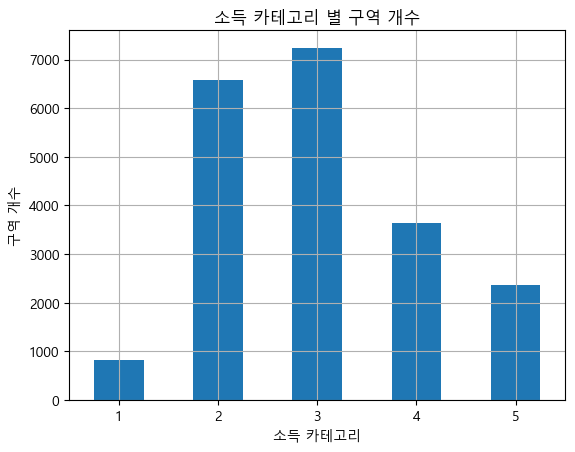
2. Malgun Gothic 체
from matplotlib import pyplot as plt
plt.rc('font', family='Malgun Gothic')
housing["income_cat"].value_counts().sort_index().plot.bar(rot=0,grid=True)
plt.title("소득 카테고리 별 구역 개수")
plt.xlabel("소득 카테고리")
plt.ylabel("구역 개수")
plt.show()
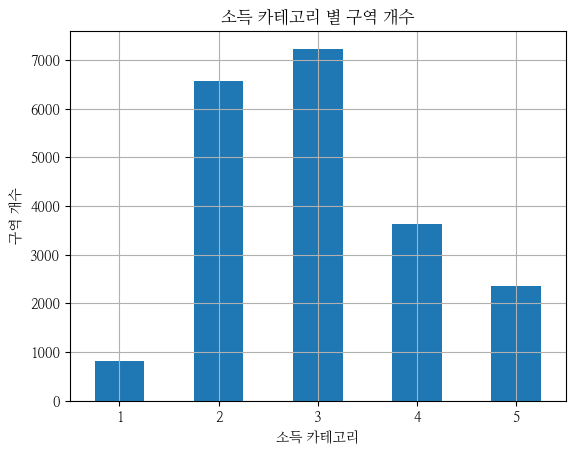
3. NanumMyeongjo 체
from matplotlib import pyplot as plt
plt.rc('font', family='NanumMyeongjo')
housing["income_cat"].value_counts().sort_index().plot.bar(rot=0,grid=True)
plt.title("소득 카테고리 별 구역 개수")
plt.xlabel("소득 카테고리")
plt.ylabel("구역 개수")
plt.show()
4. NanumBarunGothic 체
from matplotlib import pyplot as plt
plt.rc('font', family='NanumBarunGothic')
housing["income_cat"].value_counts().sort_index().plot.bar(rot=0,grid=True)
plt.title("소득 카테고리 별 구역 개수")
plt.xlabel("소득 카테고리")
plt.ylabel("구역 개수")
plt.show()

5. 글꼴 사이즈 조정
from matplotlib import pyplot as plt
plt.rc('font', family='NanumGothic' , size=15)
housing["income_cat"].value_counts().sort_index().plot.bar(rot=0,grid=True)
plt.title("소득 카테고리 별 구역 개수")
plt.xlabel("소득 카테고리")
plt.ylabel("구역 개수")
plt.show()

반응형
'데이터분석' 카테고리의 다른 글
| 데이터 차원이란 무엇인가? – 1차원에서 n차원까지 (6) | 2025.08.15 |
|---|---|
| Google Colab과 Google Drive 연동 방법 (4) | 2025.08.15 |
| JSON이 반정형 데이터에 속하는 이유 (11) | 2025.08.14 |
| 공공데이터포탈에서 오픈API 사용하는 방법 (2) (2) | 2025.08.14 |
| 공공데이터포탈에서 오픈API 사용하는 방법 (1) (3) | 2025.08.14 |